
If you have had trouble making an NRS Video Relay call in Microsoft Teams, and the following 'Make a Call' or ‘Connect to Interpreter’ notifications don’t appear:
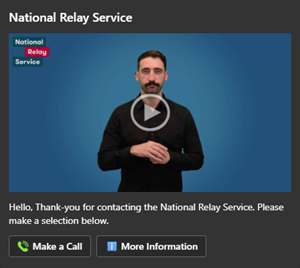
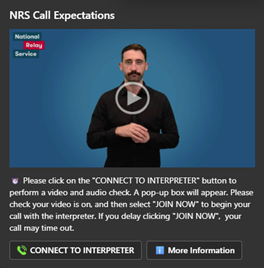
You may be using an older version of the Microsoft Teams app. You can follow these steps to refresh your Teams app to make sure it's the latest version:
If you use a smartphone, or tablet to make VRS calls:
- Open Google Play (for Android) or the App Store (for Apple).
- Search for the ‘Teams’ app

- Find the app and tap to update it to the latest version.
If you use a WINDOWS desktop or laptop to make VRS calls:
Look for an ‘Update’ button top right in MS teams with three dots
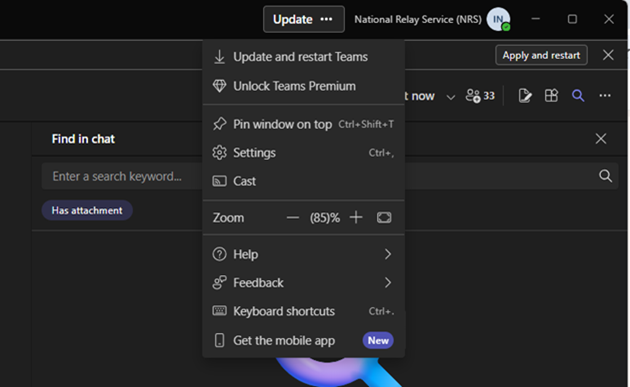
Then select “Update and restart Teams”
If there’s no manual update button:
- Open Microsoft Teams
- Click your round profile picture (top right)
- Select Check for updates
- Teams will download and install updates in the background
- Restart Teams when prompted
MAC IOS desktop or laptop to make VRS calls:
Update via the app store.
Generally, IOS desktops and laptops automatically update MS Teams in the background so you may not see an update button. Please restart your MAC computer everyday to push through automatic updates.
Need assistance:
Please feel welcome to connect with the NRS Helpdesk for assistance in refreshing the Teams app.
Phone: 1800 555 660
SMS: 0416 001 350
Email: helpdesk@relayservice.com.au
Video: https://nrschat.nrscall.gov.au/nrs/contactus(Opens in a new tab/window)
Always use the newest version of Teams for the best results.
The video below has no sound. It provides an Auslan translation of this information with captions.